
How to Download Files from UC Drive - Drive UC Downloader
In this short guide, we will guide you through the process of downloading a file from UC Drive/UC Wangpan, or from any Chinese cloud…

In this short guide, we will guide you through the process of downloading a file from UC Drive/UC Wangpan, or from any Chinese cloud storage provider with BAIDUDL
File Plans
Most files are under 5GB, so we recommend the ‘Small Files’ plan for most users. For videos, AI models, or larger files, consider the ‘Mid-sized’ or ‘Big Files’ plan. Subscribing can save you up to 73% compared to one-time plans!
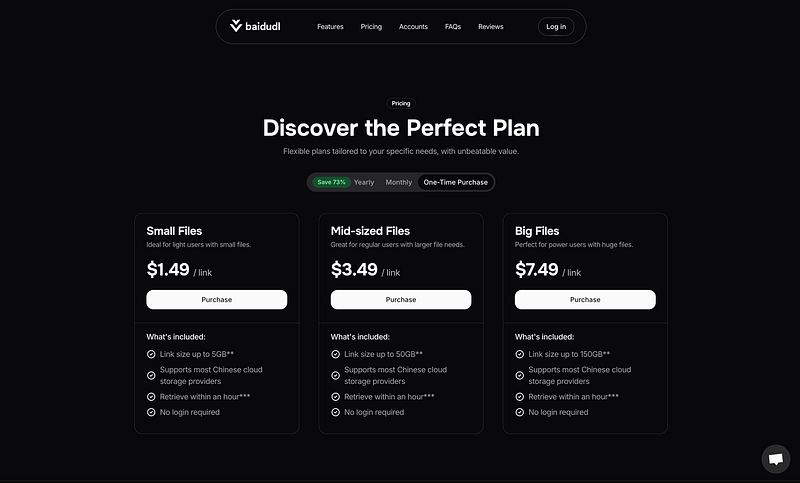
Link Details and Purchase
Select your plan, then click ‘Purchase’ or ‘Subscribe’ (visit this guide if you chose a subscription plan). Enter your link details and email address in the form, then click ‘Continue.’
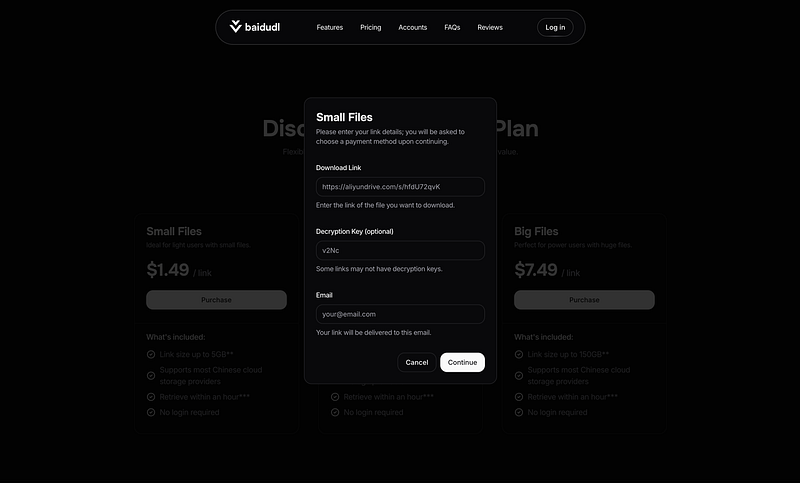
Payment Method
A dialog will appear with payment options. Choose your preferred method and click ‘Continue’ to proceed to the secure checkout page.
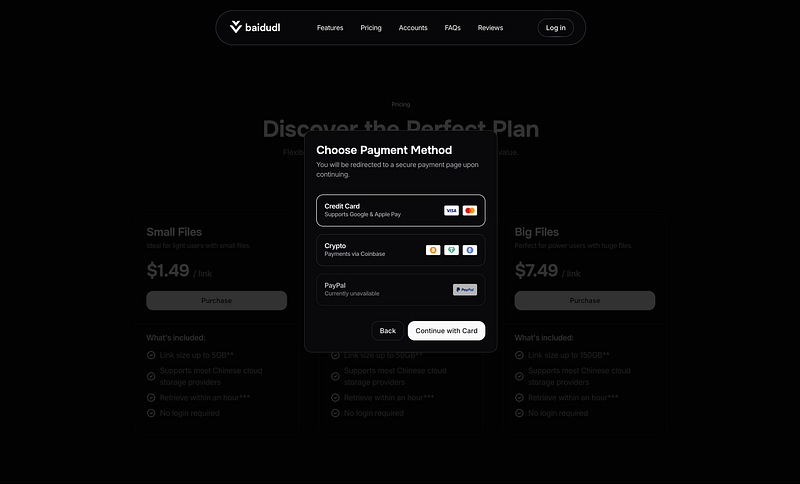
Delivery
After submitting your link, it will be delivered to your email within 1–4 hours, though it may sometimes take up to 12 hours. If you have any questions or issues, feel free to contact us!

Why should I use BAIDUDL?
- Downloading files directly from UC Drive requires registering an account, which requires a Mainland Chinese phone number.
- Registering a Mainland Chinese phone number usually requires you to have physical presence in China and residence visa.
- Our service skips all those steps, with absolutely zero hassle, a budget-friendly pricing, requiring no technical expertise, or speaking Chinese.
- We offer the most affordable pricing compared to our competitors. View a quick comparison here.
This guide is made for one-time purchase plans, for subscription plans view here.